BIMI Certificates and Domains
BIMI is the protocol that gives you little images and blue checkmarks alongside your message in the inboxes of some mail clients.
To set it up you need to do some technical things - have authentication in place, have DMARC set to enforcing, publish a DNS record and put the image on a website. That will - if your mail has a decent reputation - display your image at some mail providers (including Yahoo and Fastmail).
To have it display at other mail providers (Google, Microsoft …) you also need a certificate.
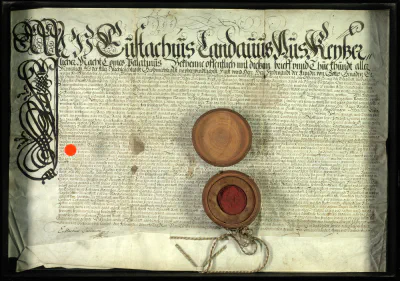
You can’t just use any certificate, though, and you certainly can’t use free certificates from LetsEncrypt like you do for every other sort of certificate online. You need either a Verified Mark Certificate (VMC) or a Common Mark Certificate (CMC). And they cost money.
A VMC and a CMC are technically pretty much the same, they do the same things and work in the same way. The only difference between them is the way in which you prove ownership of the image. For a VMC you need a registered trademark for the image. If you don’t already own the trademark this takes time and more money to get, but it’s “better” in some ways than a CMC. A CMC requires you to prove you’ve been using the image as part of your branding for a year or more, by having it on snapshots of your website taken by the Wayback Machine.
You need to buy your certificate - of either type - from a Mark Verifying Authority (MVA). The only thing they bring to the relationship is that mailbox providers trust the certificates they issue for the mailbox providers BIMI system.
A certificate can cost many hundreds or thousands of dollars a year, so it’s fairly important to know what you need before you go in and the sales rep tries to upsell you on undercoating and stain protection.
Firstly, a certificate works for a single image. If you want different images you will need to buy a certificate for each image.
Second, a single certificate for your apex domain (“example.com”) will also work for subdomains (“newsletter.example.com”). You do not need to buy separate certificates for “newsletter.example.com” and “receipts.example.com”, just one for “example.com”.
Third, a single certificate can be used for multiple domains - by adding extra SANs (Subject Alternative Names) for each extra domain.
Pricing for certificates is driven by what the market will bear, rather than any costs involved, so an MVA can choose different pricing styles. They might charge you $1500 for each domain, or they might charge you $1500 for the first domain on a certificate and $500 for each additional domain. Shop around, and know going in how many domains you might want certificates for.
There is no Official List of MVAs, nor any official list of which MVAs are trusted by which mailbox providers, but the BIMI Group links to DigiCert, GlobalSign and SSL.com.
The level of service, and how eager they are to deal with small customers, may vary between MVAs. If you do get a sales rep to call you back - which it seems isn’t always a given - they may not be entirely accurate in how they describe the product, and how much they expect you to pay. It’s possible they genuinely don’t know about SANs, discounted rates for additional domains or that you don’t need to buy additional domains to support BIMI on subdomains.
Ask others about their experiences with purchasing certificates.