GDPR and Whois data

For folks who aren’t following the discussion about whois records and GDPR compliance there’s a decent summary at vice.com: What Is Going to Happen With Whois?

The problem, briefly stated, is that ICANN has agreements with the thousands of domain registrars around the globe like GoDaddy or HostGator which oblige the companies to post WHOIS data—such as names, emails, and phone numbers—for every domain registrant with their service. On the other hand, the GDPR prohibits companies from publishing information that identifies individuals, which means that when the law goes into effect in April, ICANN’s agreements with registrars about WHOIS data will be illegal, at least in Europe.

Many researchers, including those fighting online crime, malware, phishing, and spam, use whois data as a significant part of their investigations. Losing access to whois data is going to hamper those investigations.
 

Related Posts

Flush your DNS cache (again)

This time it appears that DNS for major websites, including the NY Times, has been compromised. Attackers put in DNS entries that redirected visitors to a malware site. The compromise has been fixed and the fake DNS entries corrected.
However, people may still have the old data in their DNS caches and security experts are suggesting everyone flush their DNS cache to make sure the fake data is gone.
The Washington Post has an article explaining DNS hijacking.

Read More

Browsers, security and paranoia

MAAWG is coming up and lots of us are working on documents, and presentations. One of the recent discussions is what kind of security recommendations, if any, should we be making. I posted a list of things including “Don’t browse the web with a machine running Windows.”
Another participant told me he thought my recommendation to not use a windows machine to browse the web was over the top and paranoid. It may be, but drive by malware attacks are increasing. Visiting big sites may not be enough to protect you, as hackers are compromising sites and installing malware to infect visitors to those sites. Some ad networks have also been used to spread malware.
Criminals have even figured out how to install malware on a machine from email, without the recipient having to click or open attachments.
Avoiding the internet from a machine running Windows is a security recommendation I don’t expect many people to follow, but I do not think security and anti-virus software is enough to protect people from all of the exploits out there.
Of course, there are a lot of reasons that one might be forced to use a particular browser or operating system. For instance, I was on the phone with my bank just today to ask if they supported Safari. They say they do, but there are some things that just don’t work. The customer service rep said that they recommend Internet Explorer to all their users. She then suggested I switch browsers. No thanks, I’ll deal with the broken website.
Compromises are a major threat, and criminals are spending a lot of time and money on creating ways to get past current security. No longer is “not clicking on malware” enough to protect users. When a security clearinghouse is compromised and used as a vector for a targeted attack against Google, none of us are safe. When a security company is compromised, none of us are safe.
I realize my recommendation to avoid browsing the web on a Windows based machine is more wishful thinking than practical. I also know that other browsers and operating systems will be targeted if enough people move away from currently vulnerable operating systems. And I know that a simple, offhand suggestion won’t fix the problem.
As someone who’s been online long enough to see the original Green Card spam I know that online dangers evolve. But I can’t help thinking that most of us aren’t taking the current threats seriously enough.

Read More

Disposable addresses

Both Steve and I have blogged about how we use tagged addresses to monitor and manage our incoming mail. This is not something unique to our system, but rather a feature that’s existed in many mail systems for a long time. Many unix systems support tagged addresses out of the box, but there are also commercial MTAs and even some webmail services that support tags.
Gmail offers “+ addressing” where users can use unique tags after their username. This gives every gmail use an unlimited number of addresses to use. Any address gets leaked or compromised, and you can set filters to ignore future mail to that particular tagged address.
Yahoo offers up to 500 unique addresses per account. Initially this was a service provided by OtherInbox, now owned by Return Path, but it’s not clear if that’s still the case.
Spamgourmet has been offering disposable addresses since 2000. Their system has a built in limit on the number of emails a particular email will receive, which can help control the incoming volume.
Spamex is another provider of disposable addresses that’s been around for years and is providing services that allow recipients to control their incoming mail.
New on the scene is MeAndMyID.com who popped up in the comments here today. They are offering disposable addresses, free for a lifetime, if you sign up soon.
There are also the “short term” or “open inbox” disposable addresses like Malinator or 10 Minute Mail
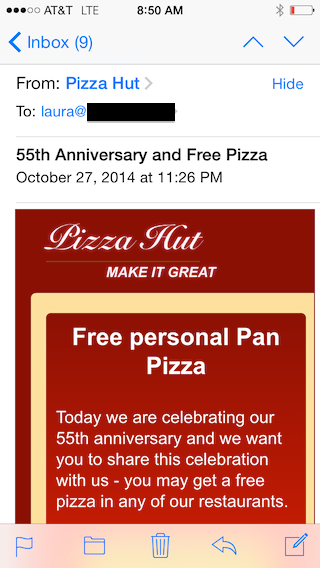
I find disposable addresses invaluable for sorting through the mail coming into my account. A bank email to an address I didn’t give the bank? It’s a phish. A pizza hut email to an untagged address? Not real. Target emails to an address only given to Amazon? Amazon is selling or giving addresses away in violation of their privacy policy. Unexpected email from a vendor, but to a tagged address? Time to unsubscribe as I’ve lived this long without their mail.

Read More