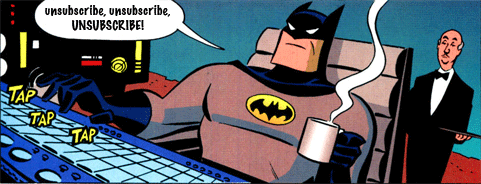
On Father's Day

always be batman
I’m on quite a few mailing lists for companies whose main product is sending gifts: food hampers, jewelry, flowers, overpriced desk toys and so on. They tend to ramp up their volume before appropriate holidays such as Christmas, Mother’s Day, Thanksgiving, Valentine’s Day or Father’s Day and target their promotions to those particular holidays.
One recipient may have a toxic relationship with their Mother and not want to be reminded of Mother’s Day, another may have recently lost their Father and not want to revisit that distress every time they open their mail client in June, yet another may be recently divorced and really not want to see diamonds and roses in their inbox right now.
You should try and avoid sending mail that will distress your recipients. You should do that because you’re a compassionate human and you want to treat your recipients as humans. But if you need an ROI argument to justify the effort needed to do so… those recipients will associate your brand with that distress and then they’ll buy less or they’ll unsubscribe and you’ll lose their business entirely – even if they are interested in and responsive to your offers for the rest of the year.
How do you identify those recipients? Maybe just ask them. Or add an “Unsubscribe from Father’s Day promotions” link next to the “Unsubscribe” link – it’s not hard to do. Help your customers segment your list for you.
Related Posts

Unsubscribing is hard

A comment came through on my post about unsubscribing that helpfully told me that the problem was I didn’t unsubscribe correctly.
As you know, there are usually two unsubscribe options in many of the bulk senders emails. Are you unsubscribing from the global or the offer unsub? Unless you are unsubscribing from both, you will still be on the lists.
To address the underlying question, I did unsubscribe from both links for those very few mails in my mailbox that had double unsubscribe links. I know that some spammers use multiple unsubscribe links in their emails. We routinely recommend clients not use 3rd party mailers with double unsubscribes because it’s a clear sign the 3rd party mailer is a spammer.
Given the presence of double unsubscribes I generally assume the point is to confuse recipients. By having multiple unsubscribe links the spammers can ignore unsubscribe requests with the excuse that “you unsubscribed from the wrong link.” Plausible deniability at its finest. The best part for the spammer is that it doesn’t matter which unsubscribe link the recipient picks, it will always be the Wrong One.
I’ve been dealing with spam since the late 90s, and have been professionally consulting on delivery for over 14 years. If I can’t figure out what link to use to unsubscribe, how is anyone supposed to figure out how to make mail stop?
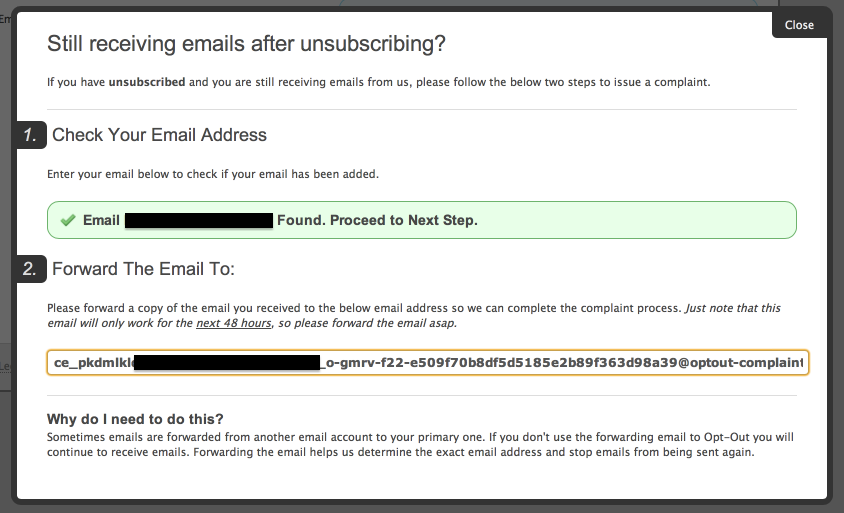
In some cases, the unsubscribe links admitted that the address I was trying to unsubscribe was already removed from the list. They helpfully refused to let me unsubscribe again through their form. But they offered a second way to unsubscribe.
UnsubThumb
The address I was unsubscribing was the same one I was unsubscribing. Some of the emails even helpfully told me “this email was sent to trapaddress@” which is the address in the above screenshot.
I’m sure my friend will come back and comment with “why didn’t you unsubscribe by forwarding the email?” Because I was spending enough time unsubscribing as it was, and I didn’t want to have to try and navigate yet another unsubscribe process. I knew they weren’t going to stop mailing me, no matter what hoops I jumped through.
I’m not saying that all unsubscribe processes are broken, there are millions and millions of emails sent every day with simple and effective unsubscribe links. What I am saying is that there is a lot of mail getting to inboxes that users never requested nor wanted. “Just unsubscribing” from this mail Does Not Work. It just keeps coming and coming and coming.
But of course, the mail still coming is my fault, as I was unable to correctly unsubscribe. 53635233

Read More

Some email related news

A couple links to relevant things that are happening in email.
M3AAWG released the Help! I’m on a Blocklist! (PDF link) doc this week. This is the result of 4 years worth of work by a whole lot of people at M3AAWG. I was a part of the working group (“doc champion” in M3AAWG parlance) and want to thank everyone who was involved and contributed to the process. I am very excited this was approved and published so people can take advantage of the collective wisdom of M3AAWG participants.
In other announcements, Gmail announced today on their Google+ page that that they were putting a new “unsubscribe” link next to the sender name when mail is delivered to the Promotions, Social or Forums tab. This appears to be the official announcement of the functionality they announced at the SF M3AAWG last February. It likely means that all users are currently getting the “unsubscribe” link. What Gmail doesn’t mention in that blog post is that this functionality uses the “List-Unsubscribe” header, not the link in the email, but I don’t think anyone except bulk mailers really care about how it’s being done, just that it is.
Also today Gmail announced they were going to recognize usernames with non-Latin or accented characters in the name. Eventually, they claim, they’ll also allow people to get Gmail addresses with accented characters.

Read More

Unsubscribe preference centers

I unsubscribe from a lot of opt-in lists around this time of year. I’m generally unbothered by a couple emails a week from companies I’ve purchased from in the past. But, a lot of these companies drastically increase their volume mid-November. I may not be averse to 3 emails a week, but that absolutely does not mean I want 2 emails a day.

Read More